

Smart Home Devices are changing how we secure our homes, making advanced security technology accessible to regular homeowners. This guide covers exactly what you need to know to choose, set up, and troubleshoot smart security devices in 2024. Here’s what works, what doesn’t, and how to get real value from your investment.
Key Takeaways
- The global smart home security market is booming, driven by growing concerns about burglary and remote monitoring needs.
- Brands like ADT and Ring lead the market, but setup and connectivity issues still frustrate some users.
- Check compatibility with your existing smart home ecosystem before investing to avoid integration headaches.
- What Are Smart Home Devices and Why Are They Essential in 2024?
- How to Choose and Set Up Smart Home Security Devices: Step-by-Step
- Advanced Analysis & Common Pitfalls of Smart Home Security Devices
- Conclusion
- Frequently Asked Questions
What Are Smart Home Devices and Why Are They Essential in 2024?
Smart home devices are connected products like cameras, sensors, video doorbells, and alarms that let you monitor and control your home from anywhere. They use Wi-Fi or other wireless connections to send alerts and video directly to your phone. The main benefit: you get real-time information and can act quickly if something unusual happens.
As of 2024, the global smart home security market is valued at over USD 35 billion with expected rapid growth. Nearly 70% of U.S. households (about 94 million) use some form of security system, most choosing smart cameras for their flexibility and visibility.
Safety is the top reason people adopt these devices, followed by convenience. With burglary concerns rising and more people working from home, demand for DIY-friendly, instant-alert solutions is only increasing. Hardware advancements mean today’s devices offer sharp video resolution, advanced monitoring, and are often easy to install.
Before buying, it’s critical to understand the options—cameras vs. doorbells vs. full alarm systems—and evaluate how each fits your needs. Compare functionalities, ecosystem compatibility, and future scalability. If you’re considering upgrading other areas of your home, check out our smart home improvements guide for broader renovation tips.
How to Choose and Set Up Smart Home Security Devices: Step-by-Step
Picking the right smart home devices involves balancing security needs, price, and setup complexity. Here’s a focused approach you can use right now.
- Assess Your Vulnerabilities: Identify at-risk zones—main entrance, side doors, garage, and backyard. Map out coverage areas for cameras and doorbells.
- Choose Devices by Use Case:
- For entry monitoring, choose a video doorbell or outdoor camera.
- For indoor security, opt for smart sensors or indoor cameras with night vision and alert features.
- For full-home coverage, invest in integrated systems (e.g., ADT, Ring kits).
- Check Compatibility: Before buying, ensure devices support your smart home ecosystem (Amazon Alexa, Google Home, Apple HomeKit). This saves headaches in setup and ongoing use.
- Installation Prep:
- Read reviews for hints on real installation and reliability.
- Check if your Wi-Fi covers all installation points; dead zones will cause streaming and notification failures.
- DIY or Pro Install:
- Most cameras and doorbells are DIY-friendly; follow manufacturer video guides.
- Alarm systems might require basic wiring or pro help, especially for larger homes.
- Fine-Tune Notifications and Monitoring:
- Set triggers for motion, people recognition, or sound detection (not all systems are reliable—test frequently).
- Adjust sensitivity to avoid false alarms from animals or passing cars.
- Enable two-factor authentication for the companion app for better security.
- Test Regularly:
- Walk-test motion zones after installation to ensure real-world coverage matches the app’s display.
- Run monthly checks and update firmware to maintain protection.
- Plan for Maintenance and Subscription Costs: Factor in monthly fees for cloud video storage or advanced features. Some brands require ongoing subscriptions for full access.
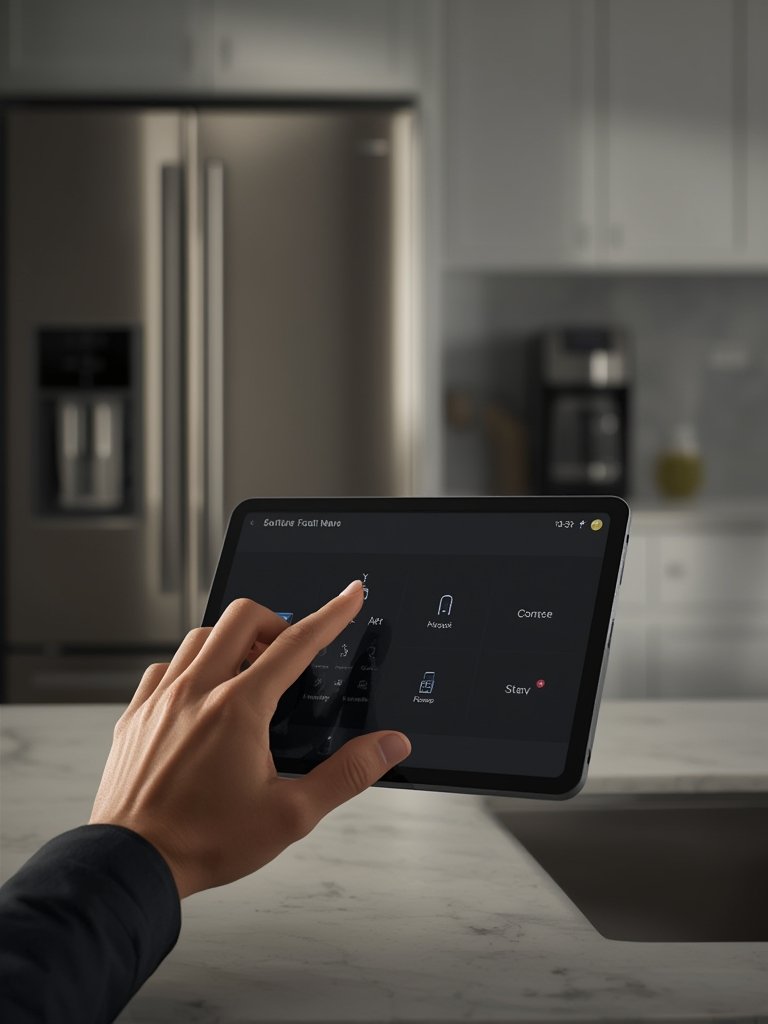
While setting up, reference our DIY home improvement tips to help you manage tools and basic installation tricks. If you plan to upgrade other home features, our kitchen and bathroom remodeling guide shares actionable advice for hassle-free improvements.
Advanced Analysis & Common Pitfalls of Smart Home Security Devices
Despite their benefits, smart home devices aren’t foolproof. Based on the latest research, here are the most common pitfalls and challenges you need to consider.
Top User Challenges (and How to Avoid Them)
- Connectivity Issues: Wireless security depends on solid Wi-Fi coverage. Dead spots will cause missed alerts and unreliable recording. Invest in Wi-Fi repeaters or mesh networks if needed.
- False Alarms: Overly sensitive motion detection (especially outdoors) can trigger unnecessary notifications. Adjust detection zones and sensitivity or use AI-supported filtering if available.
- App and Ecosystem Frustrations: Not all devices connect smoothly with Alexa or Google Home. Compatibility can change after updates. Double-check before buying and update device firmware often.
- Privacy and Security Risks: Devices connected to the cloud are theoretically vulnerable to hacking or unauthorized access. Always use two-factor authentication and strong, unique passwords. Avoid reusing passwords for multiple accounts.
- Hidden Costs: Some brands lock advanced features or video storage behind monthly subscriptions. Understand what’s free and what’s not before you buy.
Comparison Table: Smart Cameras vs. Video Doorbells vs. Alarm Systems
| Device Type | Primary Use | Resolution Range | AI Features Available | Battery Life | Ecosystem Compatibility | Ongoing Costs |
|---|---|---|---|---|---|---|
| Smart Cameras | Indoor/Outdoor monitoring | HD to 4K | Yes (person/face detection) | Up to 6 months (wireless) | Varies (check before buying) | Optional: cloud storage subscription |
| Video Doorbells | Entry-way video/intercom | HD to 2K | Yes (package detection) | 2 to 12 months (battery/wired) | Often Alexa/Google compatible | Optional: video archiving |
| Alarm Systems | Whole home, sensors, sirens | N/A (trigger-based) | Some (activity classification) | Up to 1 year (sensor batteries) | Usually works with hub apps | Monitoring fees may apply |
If you’re planning broader home renovation—adding insulation, new flooring, or wall treatments—check our home renovation techniques guide for planning essentials that complement smart device installation.

Conclusion
Smart home devices are redefining home security in 2024 with real-time monitoring, advanced detection, and easy integrations. However, connectivity issues, privacy risks, and hidden subscription costs are real—so plan your purchases carefully. Compare device types, test your Wi-Fi, and always check compatibility before installation.
Want to get the most out of your smart home devices? Start by evaluating your home’s vulnerabilities and prioritize devices that truly address your needs. For more ideas that boost comfort and efficiency, be sure to read our modern home upgrade strategies.
Take action today: Map your home’s weak spots and choose smart devices that offer reliable security—without overpaying or overcomplicating your system.
Frequently Asked Questions
Do I need a paid subscription for smart home security devices?
Most devices work without a subscription for live monitoring, but features like cloud video storage or advanced notifications often require a monthly or yearly fee. Always confirm what each brand includes for free before you purchase.
Are smart cameras and video doorbells easy to install myself?
Many modern devices are DIY-friendly with video tutorials, but homes with tricky wiring or outdated doors may need professional help. Always check installation requirements in advance.
How can I prevent false alarms from pets or passing cars?
Adjust motion detection zones and sensitivity in the app. Some models offer AI to filter out animals and vehicles, but results can vary, so always test new settings thoroughly.
Can smart security devices be hacked?
Like any connected device, there are risks, but you can reduce them with strong passwords, two-factor authentication, and keeping firmware updated. Avoid using the same passwords across platforms.
What smart home ecosystem should I prioritize—Google, Alexa, or Apple?
Pick the ecosystem that matches your other devices. If you already use Alexa speakers or Google Nest displays, look for security devices compatible with your main platform for seamless management.